



Jirachi (6IV, Shiny, Battle Ready) – Pokemon Brilliant Diamond & Shining Pearl
$6.00
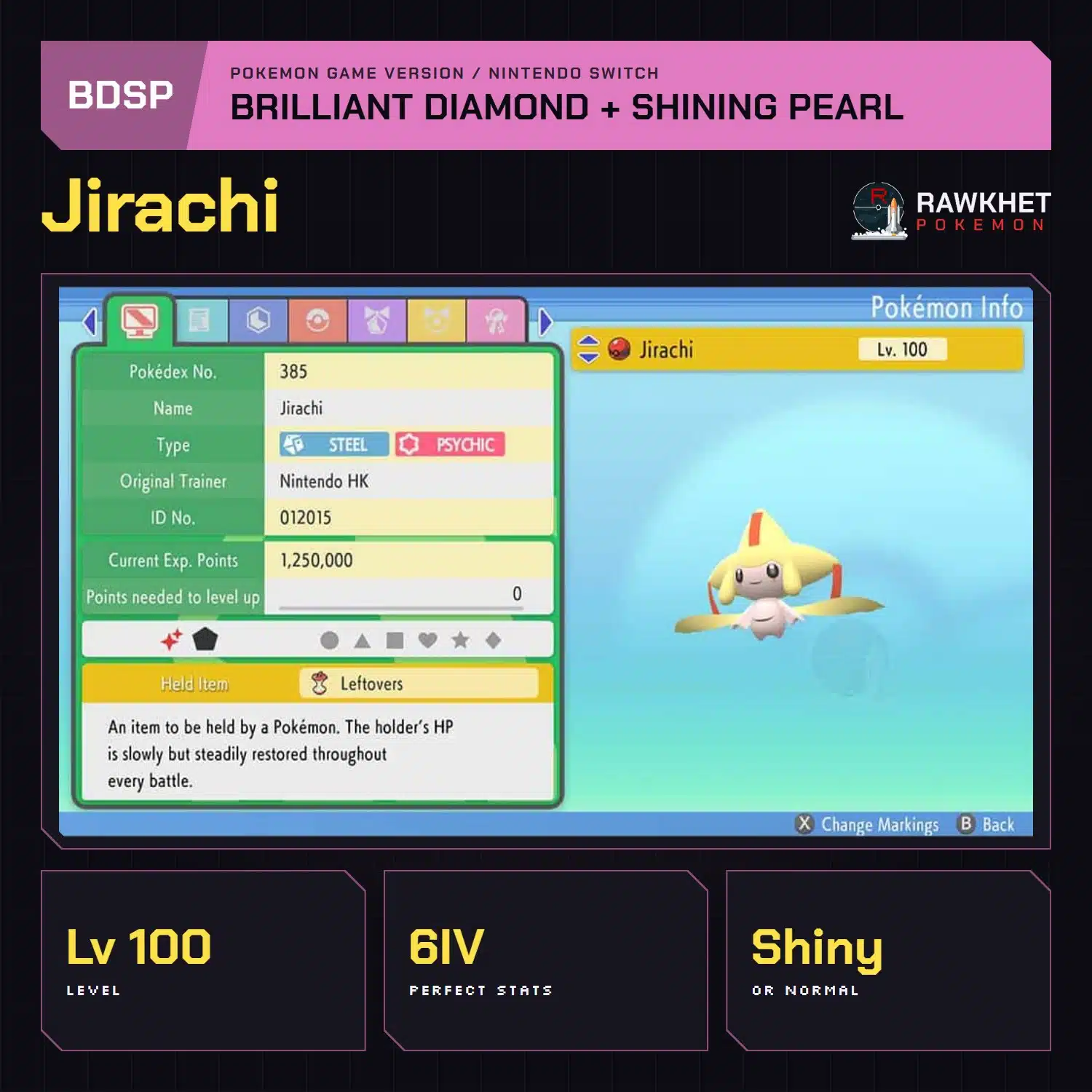
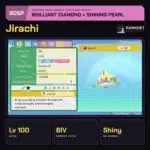
Jirachi for Pokemon Brilliant Diamond and Shining Pearl, level 100 with perfect 6IV stats, Serene Grace and a fixed Timid build. Choose the Normal option or the Shiny Nintendo HK event.
Ready about a minute after payment
Most orders are prepared automatically. Orders with notes are checked by a person within 12 hours.
Collect by link trade in Brilliant Diamond and Shining Pearl with the code from your ready email.
How to trade in Brilliant Diamond and Shining PearlRated 4.9 / 5 from 3,000+ reviews
Jirachi for Pokemon Brilliant Diamond and Shining Pearl, level 100 with perfect 6IV stats, Serene Grace and a fixed Timid build. Choose the Normal option or the Shiny Nintendo HK event. Most orders are ready about a minute after payment, collected by Union Room Link Trade.
- Choose: the Normal option or the Shiny Nintendo HK event
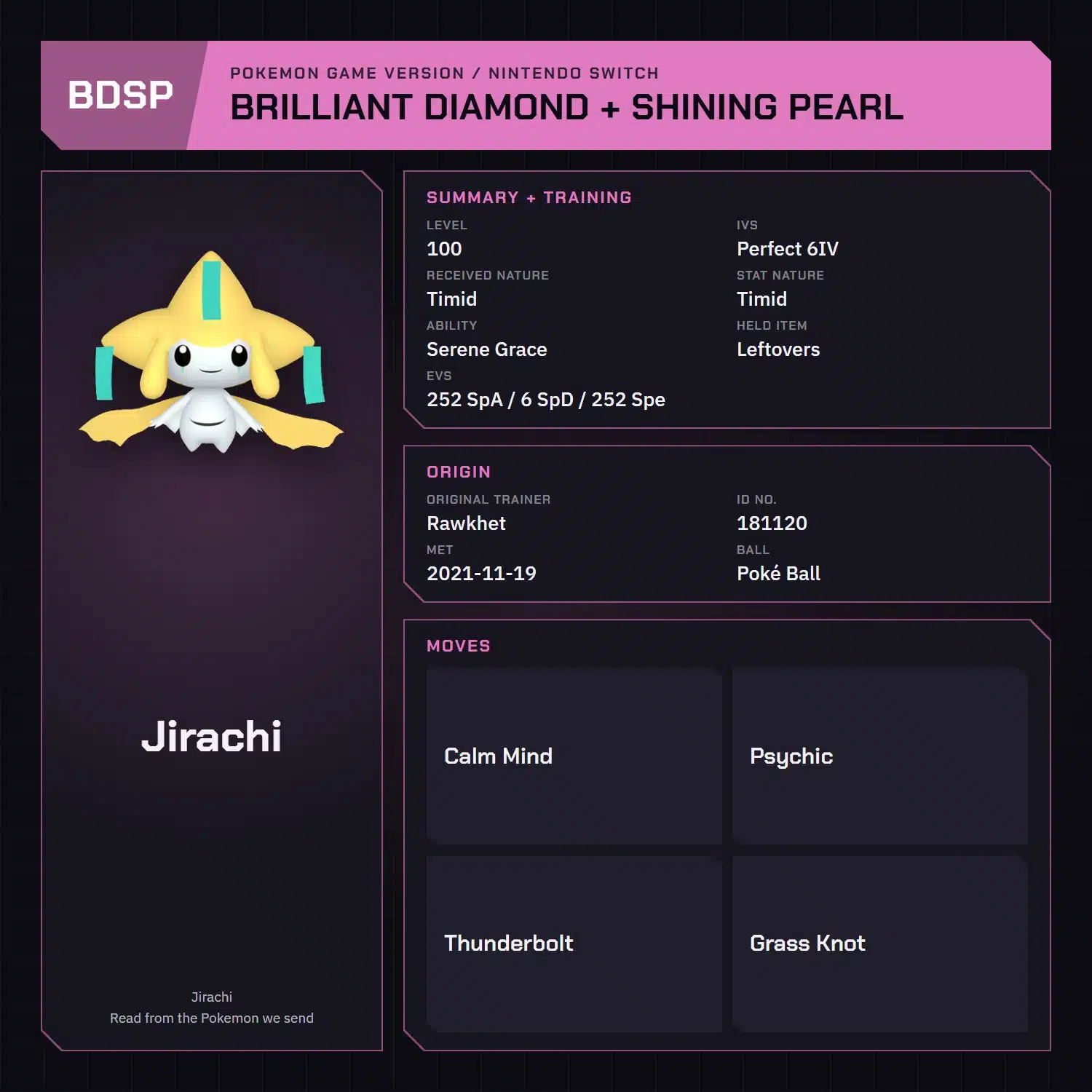
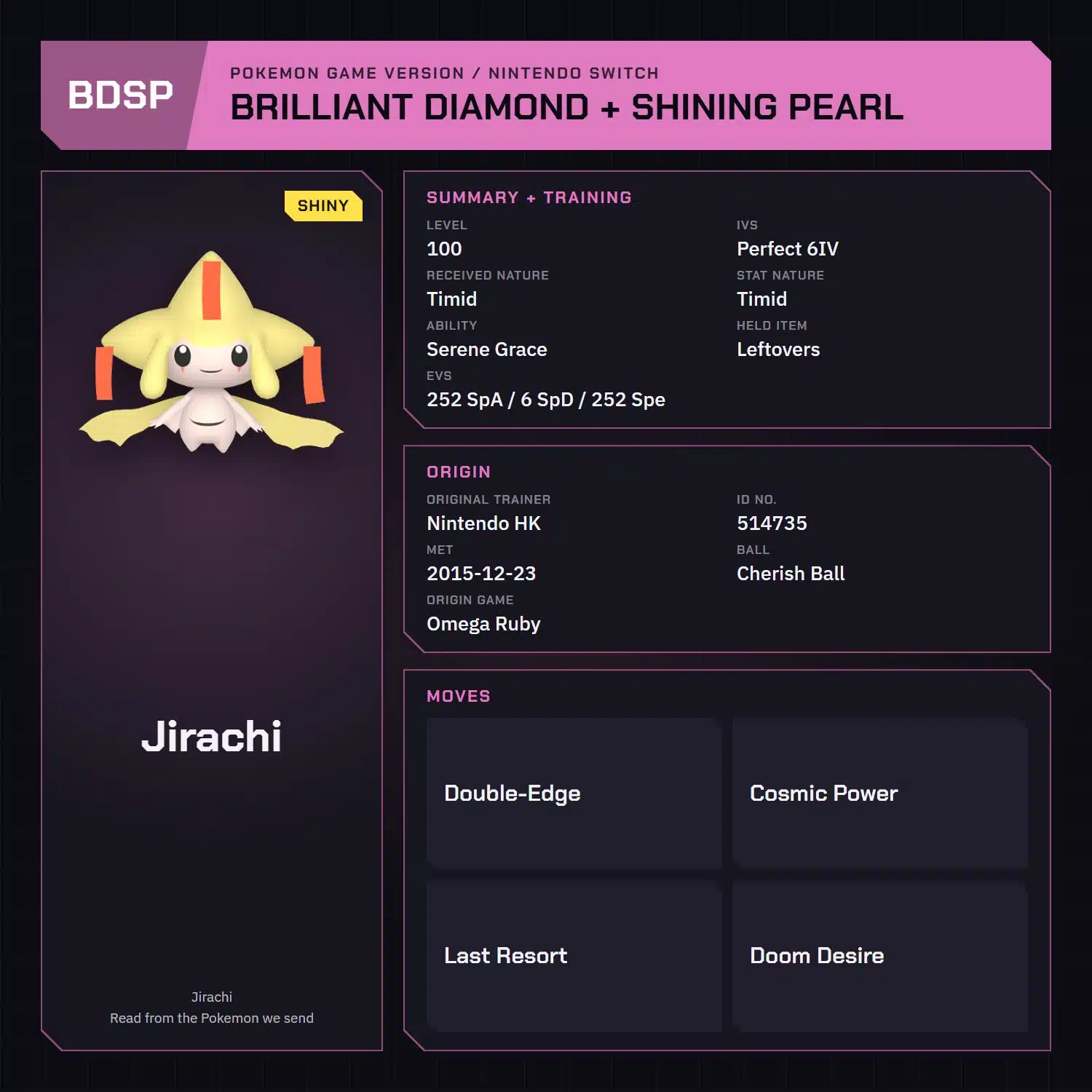
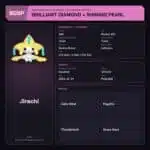
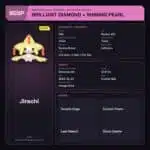
- Stats: level 100, perfect 6IV, Serene Grace, Leftovers, matching Timid received and stat Natures and 252 Special Attack / 6 Special Defense / 252 Speed EVs on both options
- Builds: fixed moves and Trainer for each option
- Shiny: the Nintendo HK event option only
- Ready: about a minute after payment; orders with notes are checked by a person within 12 hours
- Delivery: Union Room Link Trade, with Nintendo Switch Online and one Pokemon to trade in return
Jirachi options
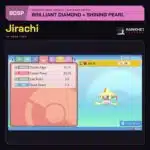
- Normal: the in-game gift from Brilliant Diamond, OT Rawkhet, Timid received and stat Nature, Leftovers, 252 Special Attack / 6 Special Defense / 252 Speed, Calm Mind, Psychic, Thunderbolt, and Grass Knot
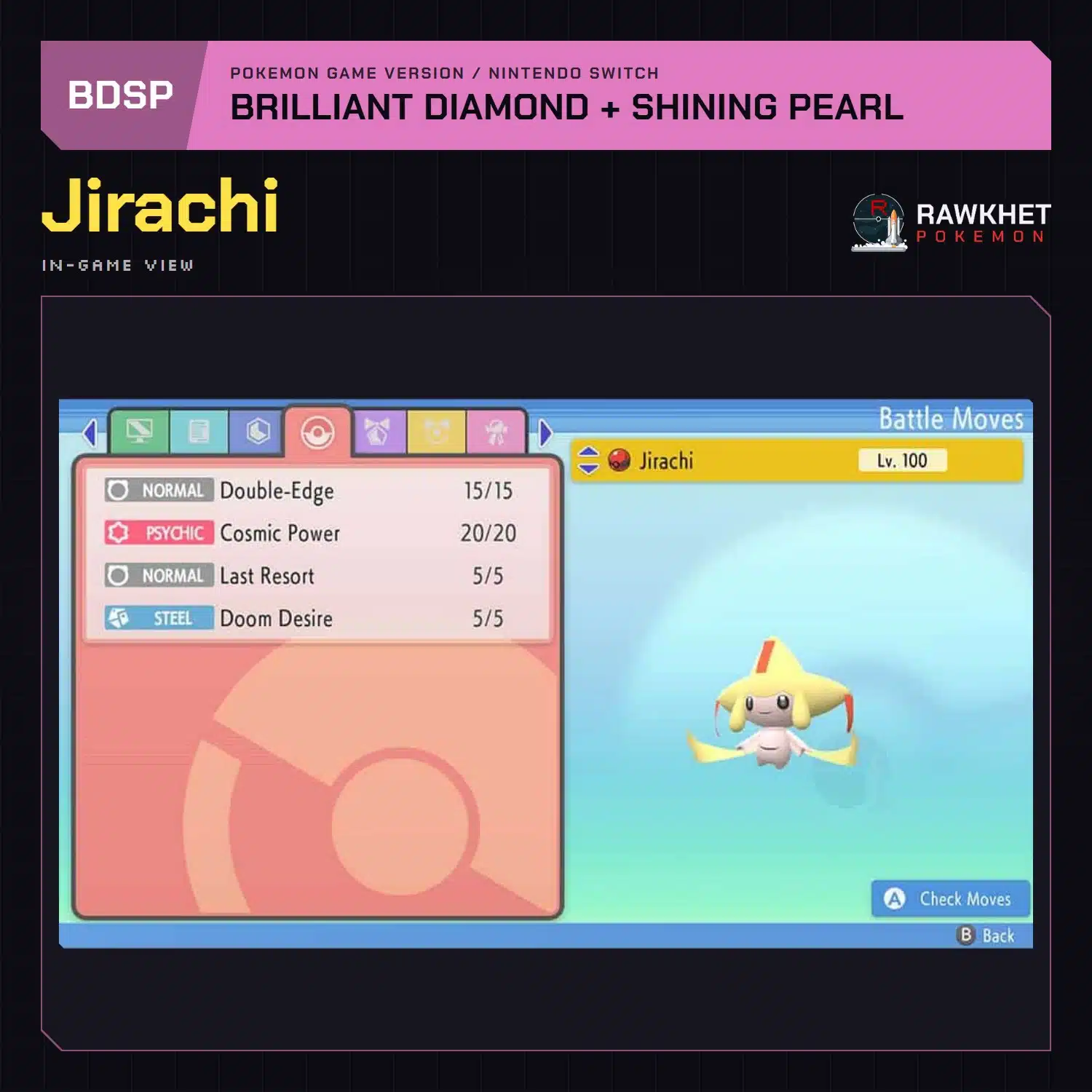
- Shiny Nintendo HK event: fixed OT Nintendo HK, Timid received and stat Nature, Leftovers, 252 Special Attack / 6 Special Defense / 252 Speed, Double-Edge, Cosmic Power, Last Resort, and Doom Desire
Both have Serene Grace.
Delivery
Jirachi is delivered through the Union Room in Pokemon Brilliant Diamond and Shining Pearl. You need a Nintendo Account, Nintendo Switch Online, and one Pokemon to trade in return. See the BDSP Trade Guide for the collection steps.
Shiny Jirachi is transfer-only in BDSP, so review the Pokemon HOME restrictions before moving it to another game.
Ready about a minute after payment
Eligible in-game orders prepare automatically after payment, and we email you a collection link when an automatic order is ready. Orders with notes are checked by a person within 12 hours. Pokemon HOME, Let's Go, and orders needing review are handled manually, usually within 24 hours. See the preparation and collection FAQ for details.
Legal, and safe for ranked battles
Every Pokemon we send is legal and passes legality checks. Safe for online play and ranked battles. Since 2016 we have completed over 450,000 trades with zero reported bans. Some Pokemon cannot be moved into Pokemon Home. Where that affects a listing, its description says so, and the Home Restrictions page has the details.
Your game and Nintendo Switch Online
Your game, a Nintendo Account, and a Nintendo Switch Online subscription. Pokemon Home orders need a Home Premium plan instead.
Your money back if we can't deliver
If we can't complete your order due to a fault on our side, you get your money back. The full policy is in the FAQ, and the Trade Guide walks you through your first trade.
Please fill out the form below with your questions about this product.
Before you startYou need a Nintendo Account and an active Nintendo Switch Online membership to trade. Your Switch Friend Code isn't needed.
- You unlock the Union Room after the first gym, once you've visited a Pokemon Center basement. From then on, press Y outside buildings to open it.
- Press Y to open the Union Room, or go to the basement of any Pokemon Center.
- Choose the Global Room. If you only see Local, go back a step.

- Select "Yes, with a Link Code". Open the collection link in your ready email and enter the Link Code shown on the trade page. For a staff-arranged trade, use the code the team sent you.
- The Global Room floor is blue. If your floor is green, you're in the wrong room.
- Find our character in the room and press A to start the trade.
- If it doesn't connect, follow the retry and help steps on your trade page. For a staff-arranged trade, reply if you can't see us within a minute so we can troubleshoot.


More tips and every other game: Trade Guide
What buyers say
No reviews yet. Be the first to share how it went.
Related products




Reviews
There are no reviews yet