






Victini (6IV, Battle Ready) – Pokemon Sword and Shield
$4.00
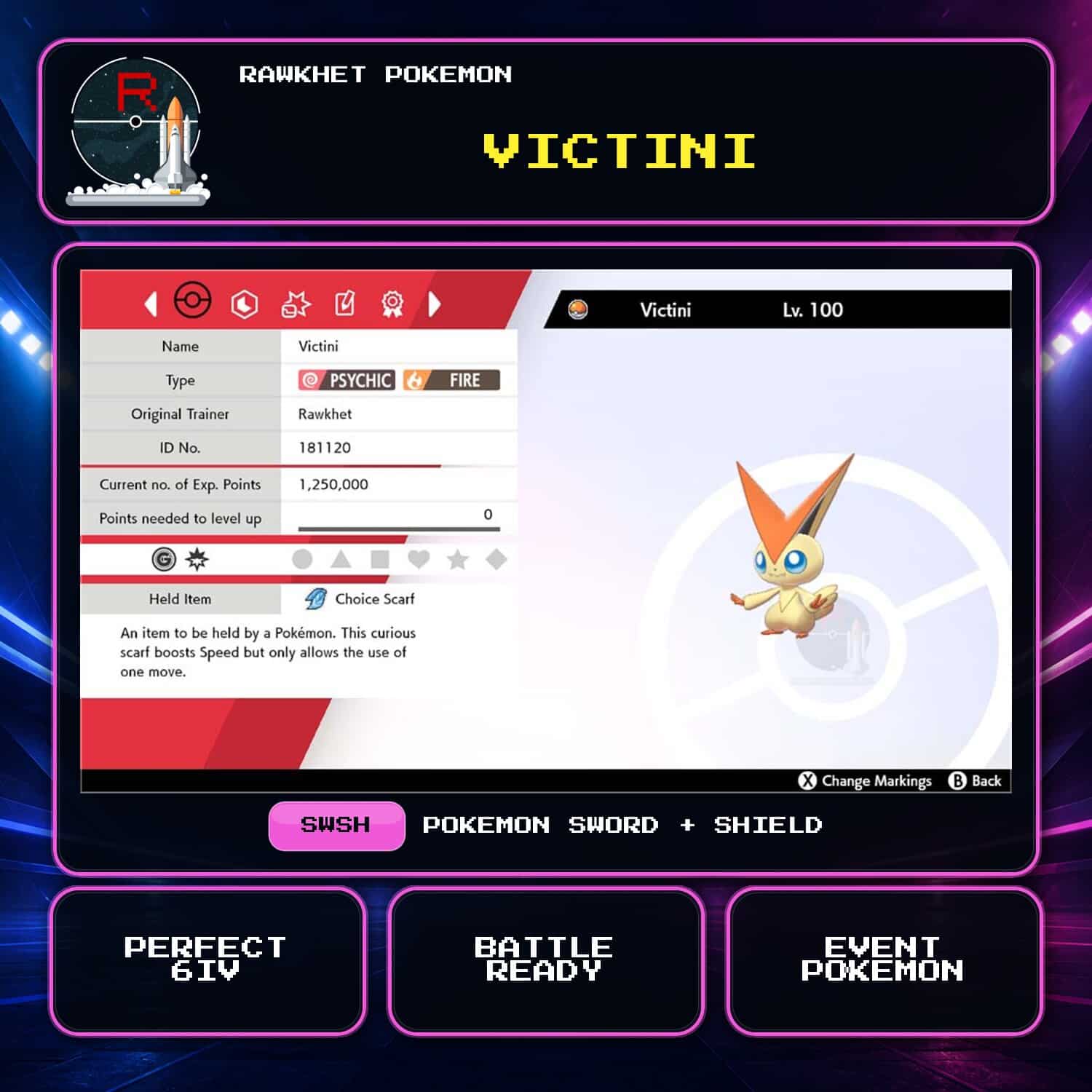
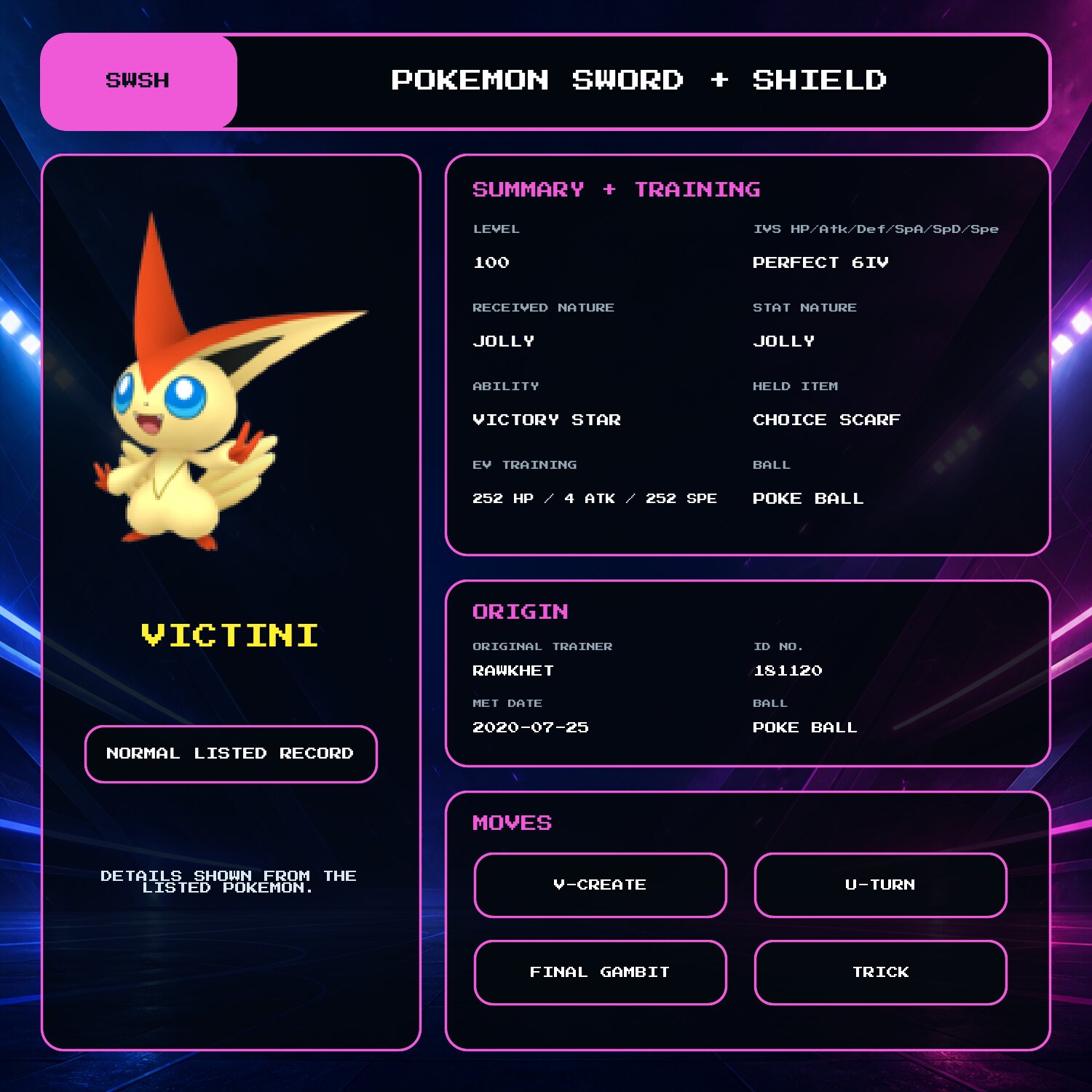
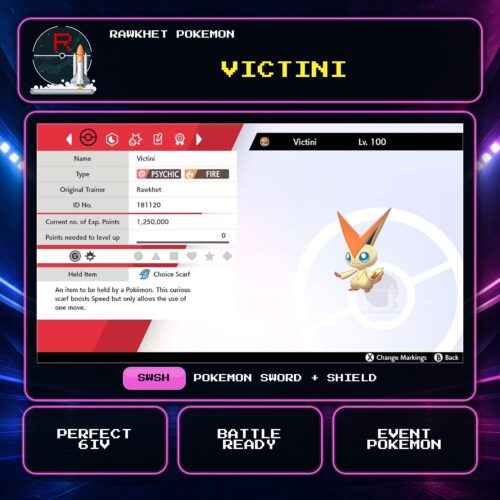
Get a Pokemon GO-origin Victini for Pokemon Sword and Shield. It is level 100 with perfect 6IV stats, a Jolly received and stat Nature, Choice Scarf, full EV training, and a fixed moveset.
Pokemon GO-origin Victini for Sword and Shield
This listing includes one Victini transferred from Pokemon GO for use in Pokemon Sword and Shield. It is level 100 with perfect 6IV stats and a fixed battle-ready build.
Fixed build
Victini has a Jolly received Nature and Jolly stat Nature, Victory Star, a Choice Scarf, and 252 HP / 4 Attack / 252 Speed EVs. Its moves are V-create, U-turn, Final Gambit, and Trick.
Delivery
Victini is delivered through Y-Comm Link Trade in Pokemon Sword and Shield. You need a Nintendo Account, Nintendo Switch Online, and one Pokemon to trade in return. See the Sword and Shield Trade Guide for the collection steps.
This listing contains transfer-only Pokemon. Pokemon HOME restrictions apply. This transfer-origin record cannot be customized through this listing. Review the Pokemon HOME restrictions before ordering.
4 reviews for Victini (6IV, Battle Ready) – Pokemon Sword and Shield
Preparation: orders are ready within 24 hours, usually under 12. We'll email you when yours is ready to arrange delivery, whether that's a link trade in your game or a Pokemon Home transfer.
Legitimacy: every Pokemon we send is legal and passes legality checks. Safe for online play and ranked battles. Since 2016 we have completed over 450,000 trades with zero reported bans. Some Pokemon cannot be moved into Pokemon Home. Where that affects a listing, its description says so, and the Home Restrictions page has the details.
What you'll need: your game, a Nintendo Account, and a Nintendo Switch Online subscription. Pokemon Home orders need a Home Premium plan instead.
Our guarantee: if we can't complete your order due to a fault on our side, you get your money back. The full policy is in the FAQ, and the Trade Guide walks you through your first trade.
Please fill out the form below with your questions about this product.
To trade in Pokemon Sword and Shield, you'll need a Nintendo Account and an active Nintendo Switch Online subscription. Your Switch Friend Code and in-game Card Code are unnecessary.
- Press the [Y] button to open the Y-Comm.
- Press [+] to connect to the Internet. The top right should say "Internet".
- Choose Link Trade and then Set Link Code.
- When you're up in the Trade Queue, you'll receive a Link Code that you can enter here.
- Wait for the trade to be established. Stay in the overworld and do not open any menus. It should say "Searching..." at the bottom left.
- IMPORTANT: If we don't connect within a minute, please reply to let us know (no need to retry) so we can try another code.


Please ensure you have a stable Internet connection to trade. To check if you can trade online with Rawkhet (and others), do a Test Connection on your Switch (System Settings > Internet > Test Connection) and ensure that your NAT Type is A, B, or C (where A/B is ideal).
NAT Type D and F will NOT be able to connect with other players. Mobile hotspots from your iOS or Android device, public WiFi, and work/enterprise WiFi are usually NAT Type D. Use a different network or find troubleshooting steps on Nintendo Support.


Em –
holy arceus, incredible service! emails were lightning fast, got my victini in under an hour! so relieved to have this little dude in my dex since i wasn’t even in the pokémon fandom when the original victini event was distributed. normally i don’t really engage with genned or non-official mons (idk how to word it but i mean it 100% harmlessly! i’m just a bit of a purist sometimes lol) but since victini and zarude are genuinely unobtainable for me i was considering buying them, i googled it and found rawkhet, and wow i didn’t expect such an affordable price! perhaps i’ll return to get a custom ‘mon as a keepsake someday 👀
Lt Deathriel –
Very fast and Great Service! Would definitely come again
TK –
Made the purchase and then 2 hours later the trade was made! Fastest turnaround time I’ve ever seen!
rvgroxas –
Awesome and fast service thank you!