





Galar Fossil Package (4x, 6IV, Shiny, Battle Ready) – Pokemon Sword and Shield
$20.00
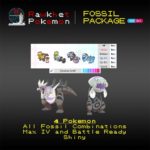
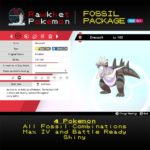
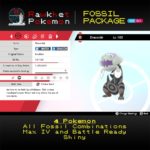
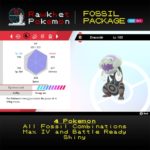
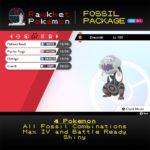
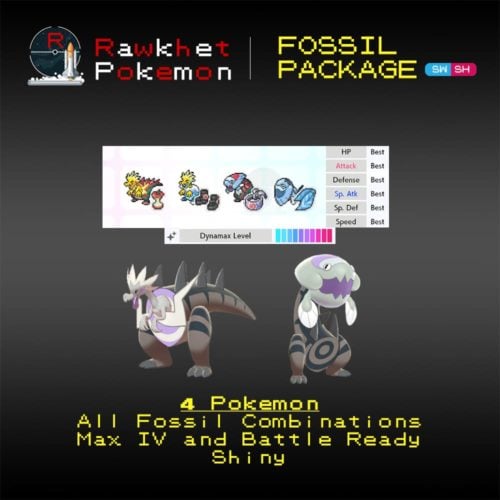
Get all 4 Galar Fossil Pokemon for Sword and Shield! These Pokemon have Perfect 6IV, are competitively Battle Ready, max Dynamax Level, and Shiny!
Description
Get all 4 Galar Fossil Pokemon for Sword and Shield! These Pokemon have Perfect 6IV, are competitively Battle Ready, max Dynamax Level, and Shiny!
You can choose to have them Shiny or not. Note that no further customization is allowed on this package.
List of Galar Fossil Pokemon:
- Dracozolt
- Arctozolt
- Dracovish
- Arctovish
This listing is for Pokemon Sword and Shield.
Note: Trading in Pokemon Sword and Shield requires a Nintendo Account and Nintendo Switch Online subscription.
Pokemon will be sent via Wi-Fi Link Trade under Sword and Shield’s Y-Comm Link Trade. You will need to catch junk Pokemon to send over in place of what you’re getting. Visit the Trade Guide if you’re not sure how to do this, or the Frequently Asked Questions if you need any help.
Reviews (14)
14 reviews for Galar Fossil Package (4x, 6IV, Shiny, Battle Ready) – Pokemon Sword and Shield
Delivery & Guarantee
Preparation: orders are ready within 24 hours, usually under 12. We'll email you when yours is ready to arrange delivery, whether that's a link trade in your game or a Pokemon Home transfer.
Legitimacy: every Pokemon we send is legal and passes legality checks. Safe for online play and ranked battles. Since 2016 we have completed over 450,000 trades with zero reported bans. Some Pokemon cannot be moved into Pokemon Home. Where that affects a listing, its description says so, and the Home Restrictions page has the details.
What you'll need: your game, a Nintendo Account, and a Nintendo Switch Online subscription. Pokemon Home orders need a Home Premium plan instead.
Our guarantee: if we can't complete your order due to a fault on our side, you get your money back. The full policy is in the FAQ, and the Trade Guide walks you through your first trade.
Product Enquiry
Please fill out the form below with your questions about this product.
Trade Guide (Sword & Shield)
To trade in Pokemon Sword and Shield, you'll need a Nintendo Account and an active Nintendo Switch Online subscription. Your Switch Friend Code and in-game Card Code are unnecessary.
- Press the [Y] button to open the Y-Comm.
- Press [+] to connect to the Internet. The top right should say "Internet".
- Choose Link Trade and then Set Link Code.
- When you're up in the Trade Queue, you'll receive a Link Code that you can enter here.
- Wait for the trade to be established. Stay in the overworld and do not open any menus. It should say "Searching..." at the bottom left.
- IMPORTANT: If we don't connect within a minute, please reply to let us know (no need to retry) so we can try another code.


Please ensure you have a stable Internet connection to trade. To check if you can trade online with Rawkhet (and others), do a Test Connection on your Switch (System Settings > Internet > Test Connection) and ensure that your NAT Type is A, B, or C (where A/B is ideal).
NAT Type D and F will NOT be able to connect with other players. Mobile hotspots from your iOS or Android device, public WiFi, and work/enterprise WiFi are usually NAT Type D. Use a different network or find troubleshooting steps on Nintendo Support.
Related products






Luis Salas –
10/10 fast and easy
Rxse –
Very quick and affordable. I’m happy with my purchase and will definitely make more in the future!
Shane Rochman –
Omg amazing! Can’t believe team rawkhet is saving the day! 😁😁😁
b-real –
I have ordered from Rawkhet before. I would recommend the website to anyone. Product received as advertised.