





Due to unforeseen circumstances, we are unable to fulfill ALL Home orders until Oct 20. Please keep this in mind when placing orders. Apologies for the inconvenience.
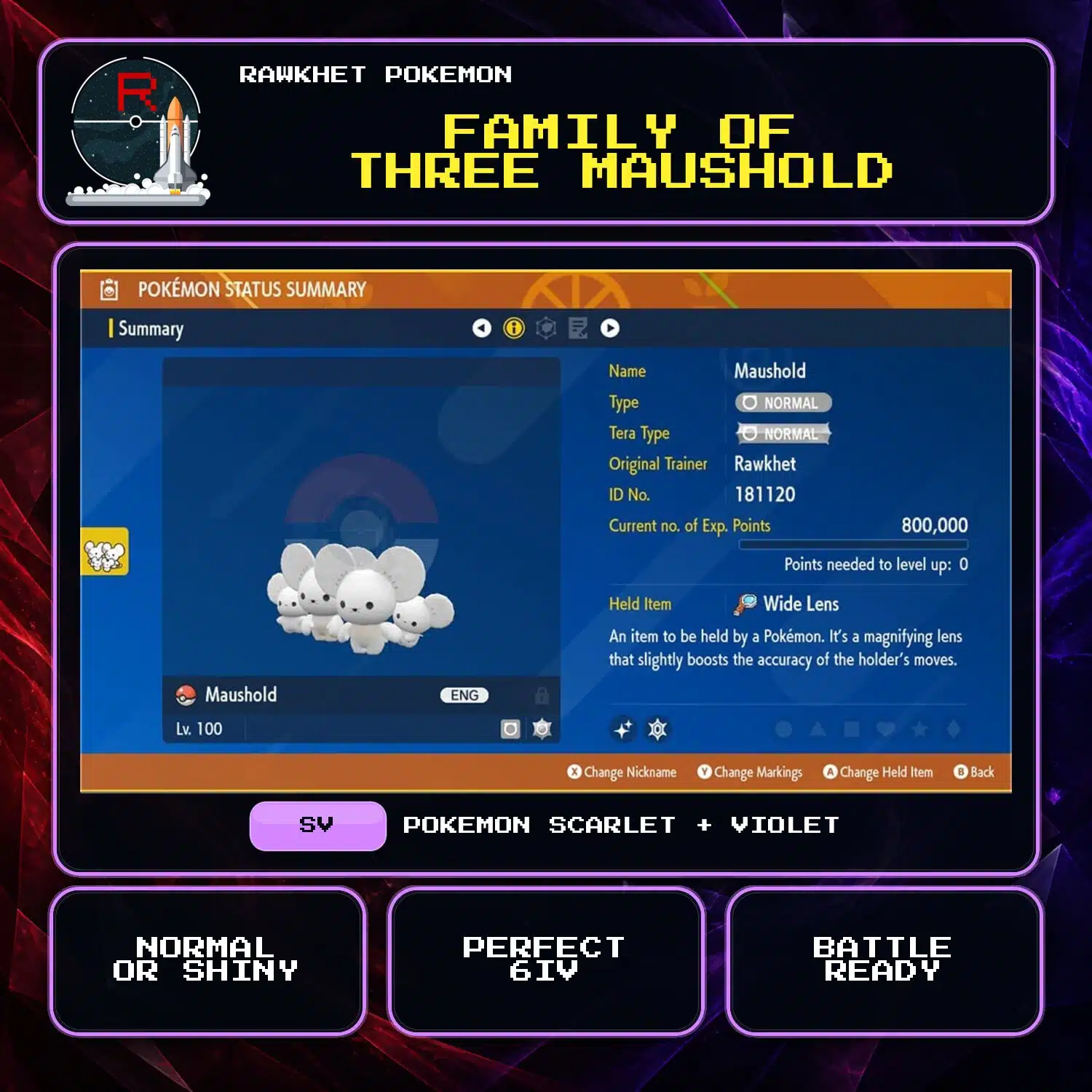


Family of Three Maushold (6IV, Shiny, Battle Ready) – Pokemon Scarlet and Violet
$6.00
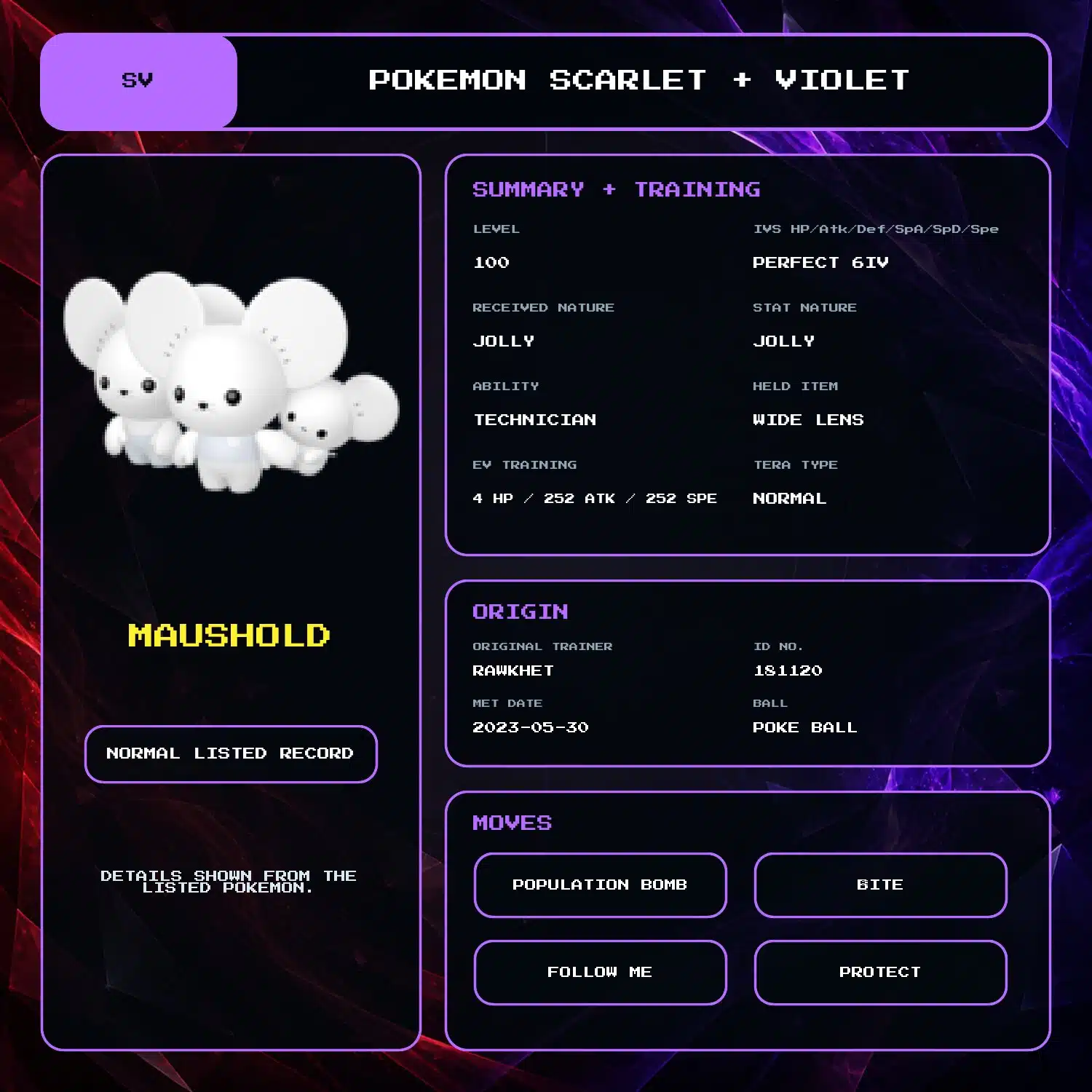
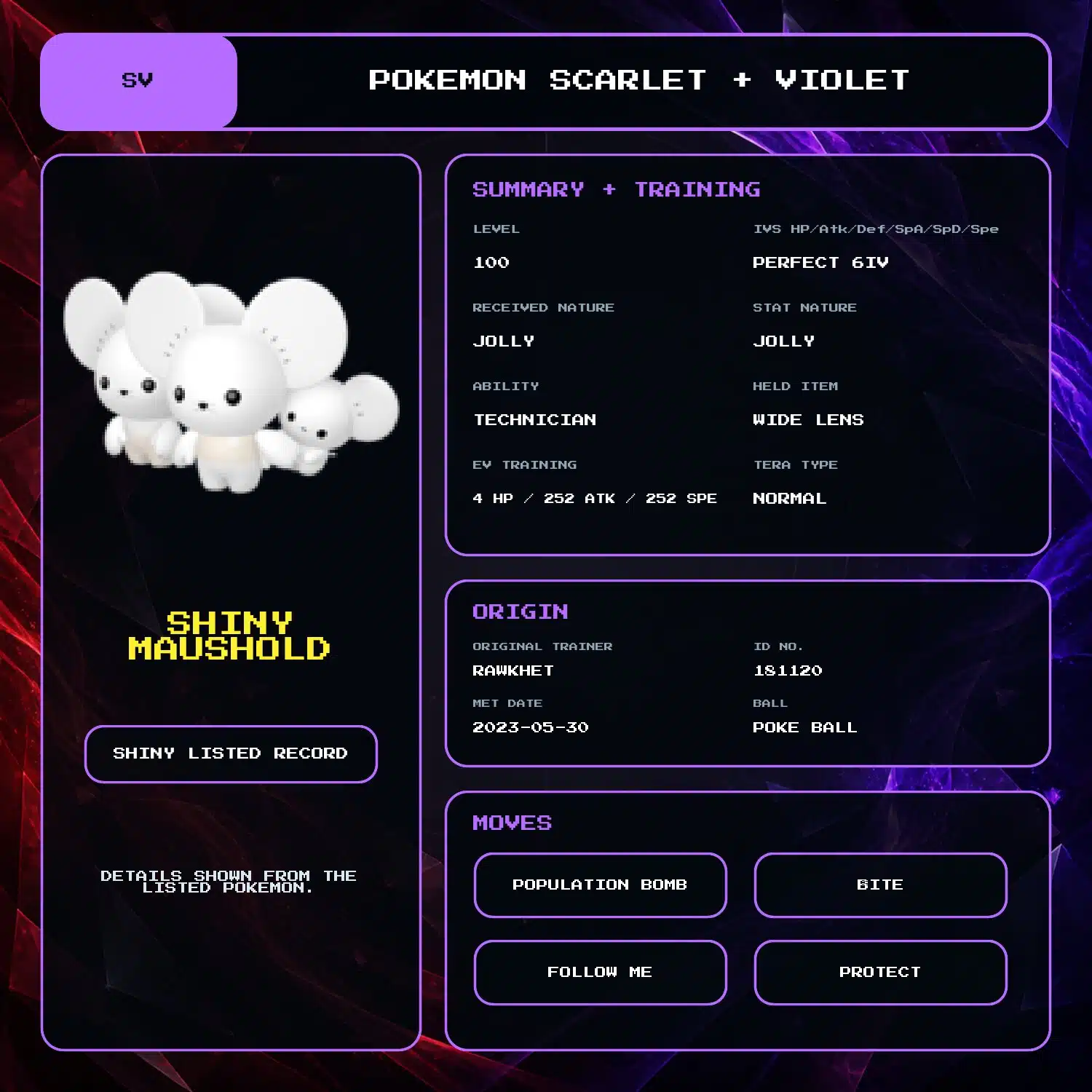
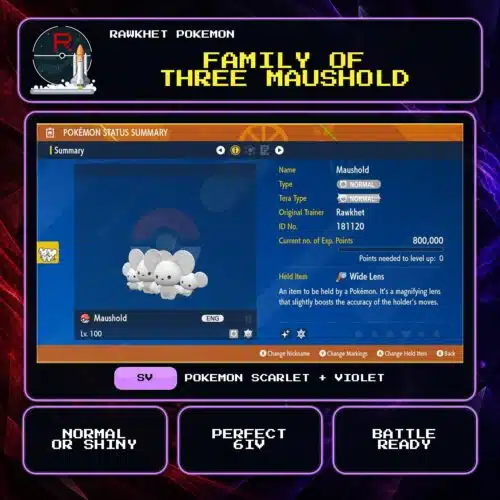
Choose a Shiny or normal Family of Three Maushold at level 100, with perfect 6IV stats, Technician, Wide Lens, and a fixed battle-ready build.
Family of Three Maushold build
This is the Family of Three form of Maushold. The gallery shows a level 100 build with perfect 6IV stats, Technician, a Normal Tera Type, and Wide Lens. Use the Selection menu to choose Shiny or Normal.
- Population Bomb
- Bite
- Follow Me
- Protect
It is fully trained and battle ready. The listed build is fixed.
Trainer Name and custom builds
The optional Trainer Name change applies where possible. For another build, use the Custom Pokemon for Scarlet and Violet listing.
Link Trade delivery
Delivery uses one Poke Portal Link Trade in Pokemon Scarlet and Violet. You need a Nintendo Account, Nintendo Switch Online, and one Pokemon to trade. Follow the Scarlet and Violet section of the Trade Guide before collection.
3 reviews for Family of Three Maushold (6IV, Shiny, Battle Ready) – Pokemon Scarlet and Violet
Preparation: eligible in-game orders can prepare automatically after payment. We will email you a collection link when an automatic order is ready. Pokemon HOME, Let's Go, and orders needing review are handled manually, usually within 24 hours. See the preparation and collection FAQ for details.
Legitimacy: every Pokemon we send is legal and passes legality checks. Safe for online play and ranked battles. Since 2016 we have completed over 450,000 trades with zero reported bans. Some Pokemon cannot be moved into Pokemon Home. Where that affects a listing, its description says so, and the Home Restrictions page has the details.
What you'll need: your game, a Nintendo Account, and a Nintendo Switch Online subscription. Pokemon Home orders need a Home Premium plan instead.
Our guarantee: if we can't complete your order due to a fault on our side, you get your money back. The full policy is in the FAQ, and the Trade Guide walks you through your first trade.
Please fill out the form below with your questions about this product.
To trade in Pokemon Scarlet and Violet, you'll need a Nintendo Account and an active Nintendo Switch Online subscription. Your Switch Friend Code is unnecessary.
- Press the [X] button to open the menu.
- Select Poke Portal.
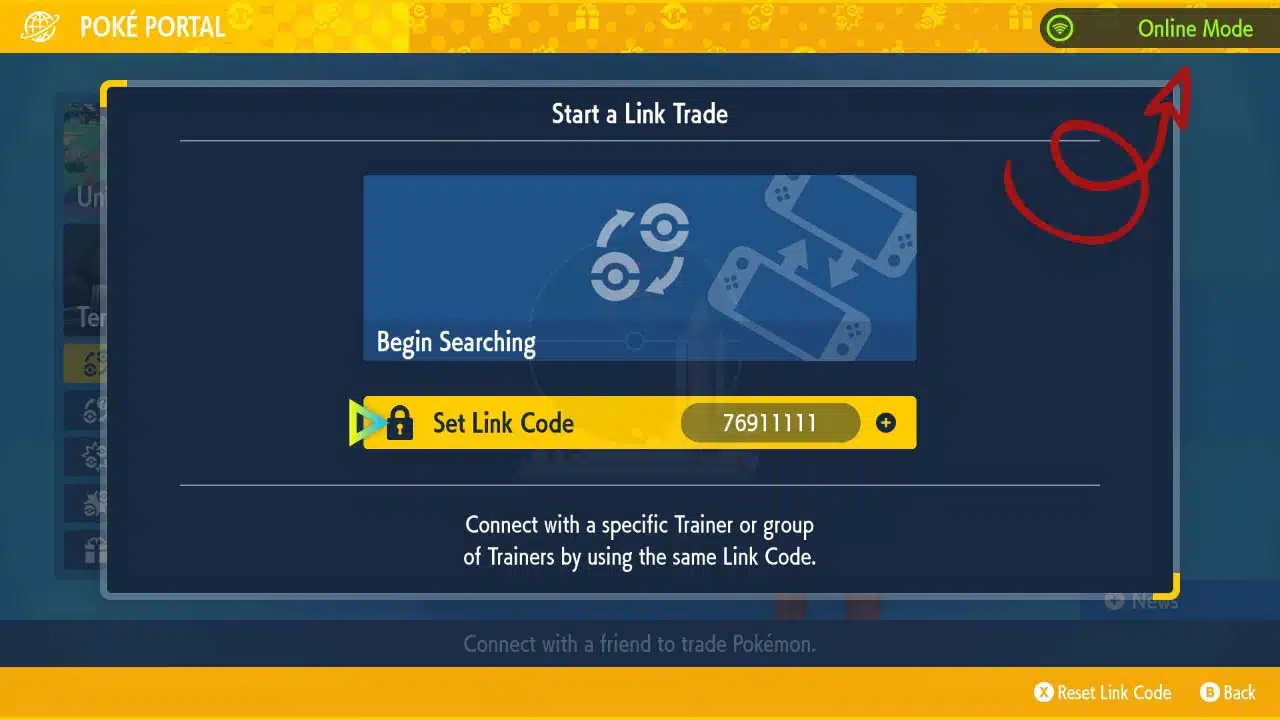
- Press [L] to connect to the Internet. The top right should say “Online Mode” in green.
- Choose Link Trade and then Set Link Code.
- Open the collection link in your ready email. When prompted, enter the Link Code shown on the trade page. For a staff-arranged trade, use the code sent by the team.
- After entering the Link Code, select Begin Searching and wait for the trade to be established.
- For collection-link orders, follow the retry and help instructions on your trade page. For a staff-arranged trade, keep trying if “No one could be found!” appears, and reply if we don't connect within a minute. Keep trying while we troubleshoot.
- Special note: During the trade, you'll need to hit [A] at the “Attention!” screen to progress, unlike in previous games.


MDL –
After months of trying finally Rawkhet made it easier to finally get the family of 3!
Taylor Masciarelli –
Best turnaround times for quality Pokemon from Rawkhet! I highly recommend Rawkhet for all your pokemon needs! Thanks again, Rawkhet!
bigmode5115 –
Excellent service. Trading is always done quick and easy.