





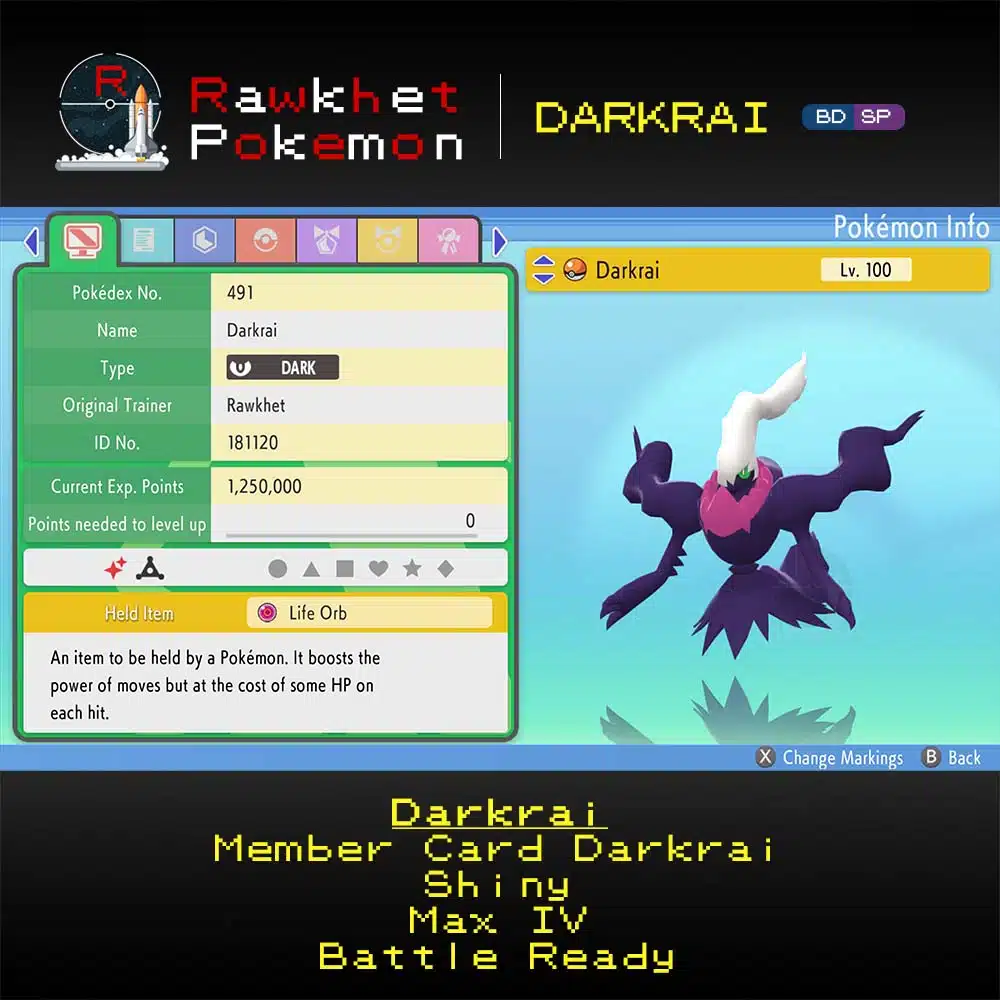


Darkrai (6IV, Battle Ready, Shiny) – Pokemon Brilliant Diamond & Shining Pearl
$4.00
Missed the Member Card event? Get a Darkrai for your Pokemon Brilliant Diamond & Shining Pearl game! Our Darkrai are all Perfect 6IV and Battle Ready.
Description
Missed the Member Card event? Get a Darkrai for your Pokemon Brilliant Diamond & Shining Pearl game! Our Darkrai are all Perfect 6IV and Battle Ready.
Note that no further customization is allowed on this listing.
This listing is for Pokemon Brilliant Diamond & Shining Pearl.
Note that Home restrictions may apply, see here for more information.
Note: Trading in Pokemon BDSP requires a Nintendo Account and Nintendo Switch Online subscription.
Pokemon will be sent via Wi-Fi Link Trade through the Union Room feature. You will need to catch junk Pokemon to send over in place of what you’re getting. Visit the Trade Guide if you’re not sure how to do this, or the Frequently Asked Questions if you need any help.
Reviews (2)
2 reviews for Darkrai (6IV, Battle Ready, Shiny) – Pokemon Brilliant Diamond & Shining Pearl
Delivery & Guarantee
Preparation: orders are ready within 24 hours, usually under 12. We'll email you when yours is ready to arrange delivery, whether that's a link trade in your game or a Pokemon Home transfer.
Legitimacy: every Pokemon we send is legal and passes legality checks. Safe for online play and ranked battles. Since 2016 we have completed over 450,000 trades with zero reported bans. Some Pokemon cannot be moved into Pokemon Home. Where that affects a listing, its description says so, and the Home Restrictions page has the details.
What you'll need: your game, a Nintendo Account, and a Nintendo Switch Online subscription. Pokemon Home orders need a Home Premium plan instead.
Our guarantee: if we can't complete your order due to a fault on our side, you get your money back. The full policy is in the FAQ, and the Trade Guide walks you through your first trade.
Product Enquiry
Please fill out the form below with your questions about this product.
Trade Guide (BDSP)
To trade in Pokemon Brilliant Diamond and Shining Pearl, you'll need a Nintendo Account and an active Nintendo Switch Online subscription. Your Switch Friend Code is unnecessary.
- After the first gym and going to the Pokemon Center basement for the first time, you'll receive the ability to access the Union Room by pressing the [Y] button when not in a building.
- Press the [Y] button to open the Union Room (or go to the basement of any Pokemon Center).
- Choose the Global Room. If you only see Local, you've done something wrong.
- Select "Yes, with a Link Code" and then enter the Link Code we provide when we're ready to trade.
- Once you're in the Union Room, look for us and interact (hit [A]) on our character to begin the trade.
- IMPORTANT: If you don't see us in the Union Room within a minute, please reply to let us know so we can troubleshoot the issue.
- SUPER IMPORTANT: The floor of the Global Room is BLUE. If your floor is green, you're in the wrong place.


Related products


kizzy –
I really do fancy the original colors of Darkrai a lot. Very happy with my purchase.
flyky –
tysm fast and ez